
Twelve email addresses are not twelve qualifying testers. Check continuous closed-test enrollment and collect evidence of real use before applying for production access.
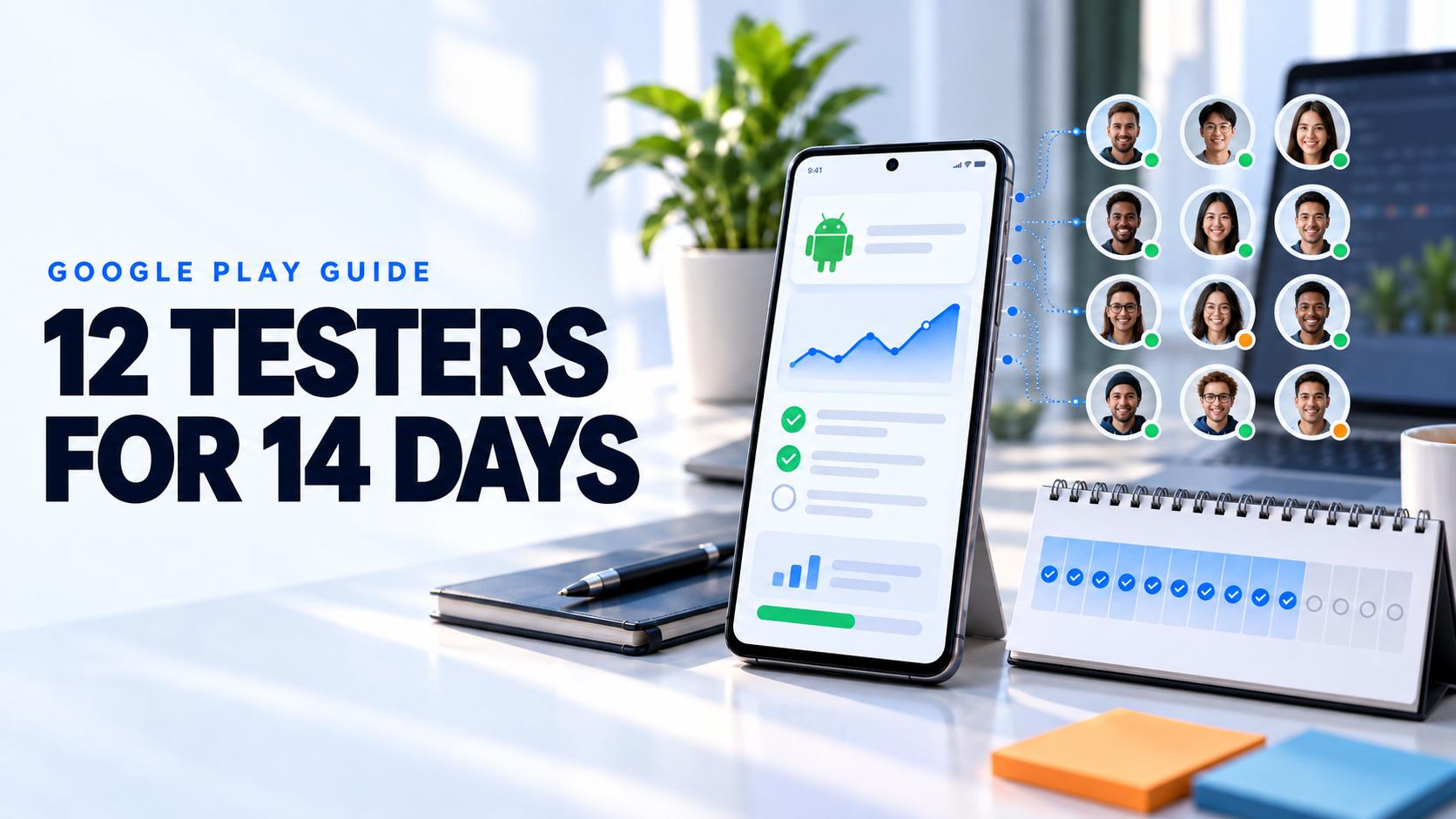
The Google Play 12 testers for 14 days requirement applies to personal developer accounts created after November 13, 2023. When you apply for production access, at least 12 closed testers must still be opted in and must each have remained opted in continuously for the preceding 14 days. Completing this minimum lets you apply; approval is a separate decision.
An email list, twelve installations, or twelve different people rotating through the test does not establish twelve continuous enrollments. This guide helps you calculate a realistic application date, handle late joiners and dropouts, run useful missions, and write answers grounded in your own results.
Download the Google Play tester evidence worksheet. It contains blank fields for enrollment, participation, findings, fixes, retests, and production access preparation.
Who needs 12 testers for 14 days?
The account scope and minimum above come from Google's app testing requirements for new personal accounts, checked October 13, 2026. Check the app dashboard for your account's requirements before planning a launch. Organization accounts and personal accounts created earlier are outside the stated scope of this particular rule.
Use this article for the requirement and evidence. For email lists, Google Groups, publishing the track, opt-in links, and installation troubleshooting, follow the Android closed testing checklist.
What counts toward the Google Play tester requirement?
Keep three separate records. Access permission, continuous enrollment, and real testing activity. A participant can have permission to join without joining, and can join without giving you useful product feedback.
- Access Their Google account is on the selected email list or belongs to the configured Google Group.
- Enrollment They open the opt-in link with that account and join the closed test. Record the confirmation time and whether they later leave.
- Participation They install the intended build, complete realistic tasks, and report their observations through your feedback channel.
Google's rule concerns continuous opt-in; its application also assesses engagement. The published requirement does not prescribe a daily-open quota. Build your missions around useful behavior rather than telling people that opening the app every day guarantees approval.
Google's testing track instructions distinguish adding authorized testers from sharing the opt-in flow. They also explain that an internal tester must leave internal testing before joining a closed or open test. Verify your onboarding with a participant account before inviting the full group.
How the fourteen day closed test works
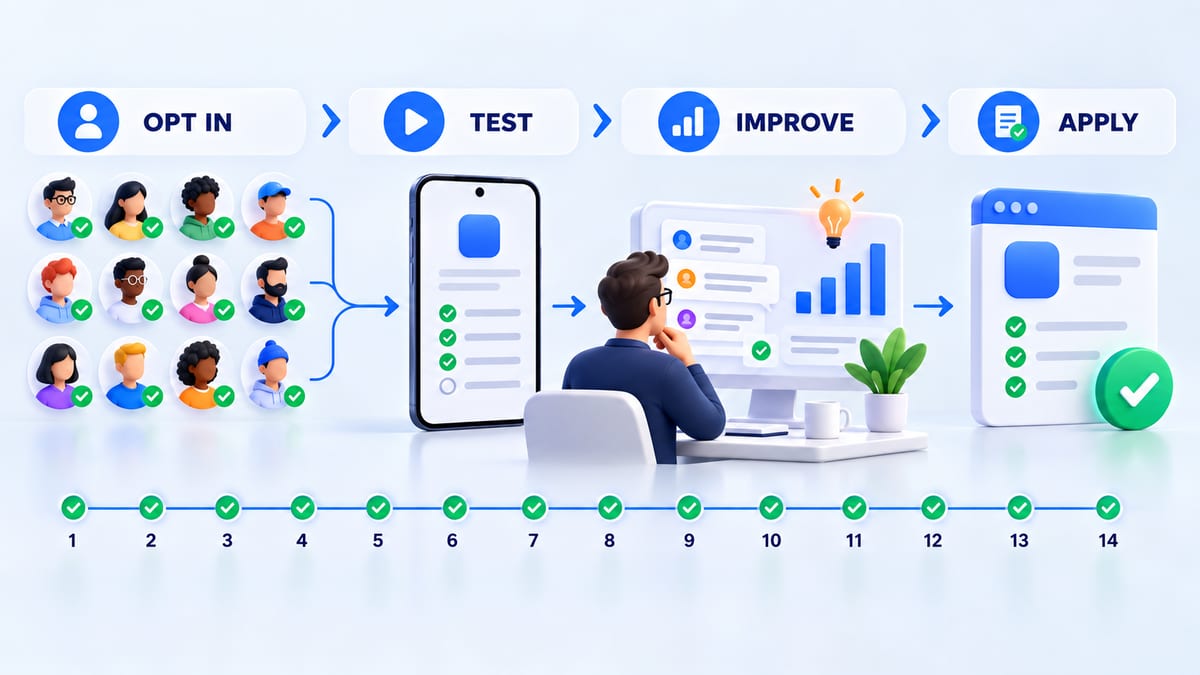
Calculate elapsed time from enrollment, not the day you upload a bundle or email invitations. Record timestamps in one timezone, such as UTC, so a tester and developer cannot accidentally compare different calendar dates.
The following examples are planning illustrations inferred from the continuous-enrollment rule. They are not results from a BetaRoast customer, and the calculated dates do not predict when Play Console will enable an application. Console eligibility is authoritative.
Example. Twelve testers join at different times
Assume the closed release is available, all twelve participants join successfully, and none opts out.
- Testers A through H join on October 1, 2026 at 09:00 UTC.
- Testers I through L join on October 2, 2026 at 18:00 UTC.
- At October 15 at 09:00 UTC, the first eight have completed fourteen elapsed days. The other four have not.
- At October 16 at 18:00 UTC, all twelve have completed fourteen elapsed days, assuming uninterrupted enrollment.
Your earliest calculated point is therefore October 16 at 18:00 UTC, not October 15. Open the dashboard after that point and confirm the app's eligibility. A private worksheet helps explain your schedule; it does not replace Google's enrollment records.
Example. One dropout with no qualifying backup
Assume all twelve testers join on October 1 at 09:00 UTC. Tester L opts out on October 10 at 09:00 UTC and rejoins on October 11 at 09:00 UTC.
- On October 15 at 09:00 UTC, A through K have fourteen continuous days. There are only eleven qualifying testers.
- L's earlier period cannot be joined to the later period. L's new fourteen-day interval reaches October 25 at 09:00 UTC, if L stays enrolled.
- A replacement who joins on October 10 at 09:00 UTC reaches their own fourteen-day interval on October 24 at 09:00 UTC, if they stay enrolled.
The other eleven testers' individual histories do not all reset because L leaves. The problem is that you need a twelfth qualifying participant at application time. Keep the remaining participants enrolled and confirm the current dashboard status.
Example. A buffer prevents a scheduling gap
Assume fifteen relevant testers all join on October 1 at 09:00 UTC. One leaves on October 10; the other fourteen stay. At October 15 at 09:00 UTC, fourteen participants have completed the illustrated continuous interval, so that single dropout does not reduce the group below twelve.
Fifteen is a suggested planning buffer, not a Google minimum. Backups help with timing only when they have already completed their own continuous period. Recruiting three new people on the last day cannot create fourteen days of enrollment history.
Set up your closed test before inviting people
Use a short preparation sequence so you do not lose participants to a broken installation flow.
- Check the app dashboard and complete the required app setup and declarations.
- Verify a stable build internally, including installation, sign-in, the core task, and your feedback route.
- Publish the closed release and select its authorized tester list or Google Group.
- Test both the opt-in and installation links with an eligible Google account.
- Send the invitation, mission, end-date expectation, and feedback instructions together.
The companion closed testing guide provides the operational steps and troubleshooting. Internal QA helps you catch obvious failures; it does not replace the required closed period.
How to find 12 Google Play testers who participate
Write your screening criteria before choosing a recruitment channel. For a meal-planning app, seek people who plan meals on Android, with a mix of devices and routines. For a field-work app, recruit people who can safely simulate its real workflow rather than relying only on friends with flagship phones.
Start with your waitlist, relevant customers, professional contacts, or communities that permit recruitment. State the time commitment and any reward up front. Our guide to finding beta testers includes screening questions and invitation templates.
Use this invitation scaffold with your actual details
We are testing [app name] for [intended audience]. Please join the closed test with [authorized Google account] using [opt-in link], then install using [Play Store link]. Remain opted in until we confirm the round is finished. Our planned window is [start and end with timezone], but late enrollment may extend your window. Complete [missions and estimated time] and send feedback to [private channel]. Reward, if offered. [terms]. Tell us promptly if you need to leave or cannot install.
Verify who joined rather than treating an accepted invitation as enrollment. Use private participant IDs in your working notes and keep account addresses out of public examples.
If you use a paid service, ask what it delivers. Relevant participants, instructions, device coverage, feedback, or coordination. A fee cannot shorten the published minimum, and a recruitment provider cannot guarantee Google's decision. Reward honest participation rather than favorable comments or invented findings.
A practical 14-day testing plan
This is a proposed schedule for a hypothetical meal-planning app, not a Google-mandated daily checklist. Adapt tasks to your features and testers' availability. Keep enrollment tracking separate from mission completion; a finished task does not prove uninterrupted membership.
Days 1–3. Installation and the first useful outcome
Ask testers to install, sign in with supplied test credentials, create a sample plan, and save it. Measure whether they can complete the task without your help. Invite them to report unclear labels even when no crash occurs.
For example. “Create a three-day plan using sample meals. Close and reopen the app, then find the saved plan. Send your build number, device, Android version, whether the plan persisted, and any point where you hesitated.”
Log access failures separately from app defects. Resolve them while participants still have time to take part. Do not start your schedule from an invitation timestamp.
Days 4–6. Realistic variations
Assign variations across your supported devices. Larger text, denied notification permission, slow network, interrupted connection, or a different locale. Avoid giving every tester every edge case; choose a small mission each can finish.
A sample task is to edit a plan while offline and reconnect. Define the expected behavior from your own product design. Saved locally, a clear retry message, or another supported outcome. Do not ask testers to guess what should happen.
Days 7–10. Triage, changes, and retesting
Review reports, prioritize failures that block the main task, and publish an updated closed build when appropriate. Tell participants which version contains the change and exactly which path to repeat.
An illustrative report might be “Saved plan disappears after reopening on [device].” This is a hypothetical defect, not an observed result. If your testers actually find it, retain their report, reproduce it, record the fixed build, and request the same save-and-reopen sequence. A retest still failing is evidence to act on, not a result to hide.
Use the mobile app bug report template to collect build, device, steps, expected and actual outcomes, frequency, and safe evidence.
Days 11–14. Returning use and readiness
Ask participants to return to the saved plan, edit it, and complete the main task again on the current build. Invite a brief answer to “Would you use this for your real planning routine? What would prevent you?”
Close high-impact findings or document unresolved risks. Check enrollment separately and allow for the precise timestamps in your schedule. Keep testers informed while you confirm eligibility and prepare the application; do not promise that the test ends automatically on a calendar's fourteenth day.
Prepare your production access evidence
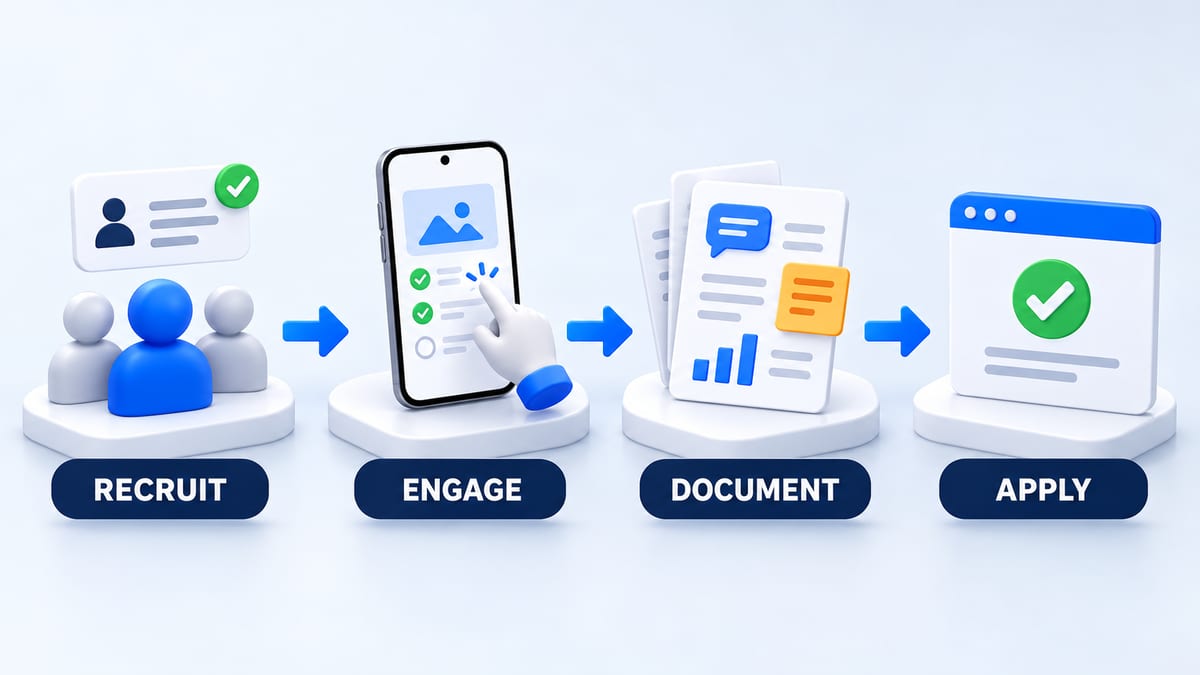
Download the Google Play tester evidence worksheet and fill it during the round. The structure below is our suggested recordkeeping approach, not an official application form. Google asks about the test, app, and readiness; use the prompts currently displayed in Console.
Enrollment and coverage record
For each participant, record a private ID, device and Android version, audience fit, opt-in confirmation timestamp, any opt-out or rejoin, and your latest check. Label unknown dates as unknown. A participant's message is a coordination record, not authoritative proof of Google's continuous-enrollment calculation.
Keep a separate application checkpoint. Date checked, dashboard status, eligible count if shown, and unresolved membership questions. Store screenshots privately and redact account details before sharing them.
Participation and feedback record
Record the mission, build, completion date, observed outcome, and evidence reference. Summarize coverage with denominators. [completed missions] out of [assigned missions], or [participants who tried the core task] out of [participants asked]. Avoid turning a handful of responses into a claim that everybody tested every feature.
Distinguish feature coverage from realistic behavior. A scripted offline task can reveal a recovery bug, while returning use can reveal whether the app supports a real routine. Explain both and acknowledge gaps.
Change and readiness record
For every accepted finding, capture the observed issue, affected journey, decision, fixed build if any, retest evidence, and remaining risk. If a suggestion was deferred, state why. If no changes were needed, describe the coverage and actual results instead of inventing bugs or fixes.
Set your own release criteria before reviewing the results. Suggested criteria include completed core journeys on your supported device sample, no known release-blocking defect, working review credentials, and accurate app declarations. Report the sample you tested; do not claim that limited coverage proves compatibility with every Android device.
Production access answer templates you can fill honestly
These are writing scaffolds, not ready-made answers. Replace each placeholder with verified facts, omit unsupported claims, and adapt to the live form. Do not paste hypothetical examples as tester feedback.
Recruitment and engagement
We recruited [participant group] through [channels] because they represent [specific intended audience]. During [actual test window], [observed count] completed [core tasks] on [device/OS coverage]. Their behavior matched expected use in [observed ways] and differed in [observed limitations]. Evidence came from [mission records, permitted telemetry, or feedback references]. [Features not tested] remain a coverage gap that we addressed by [actual action or next test].
Feedback and collection
We collected feedback through [channels]. The main themes were [actual themes], supported by [references]. One observed example was [specific finding and affected task]. We also received [actual usability feedback, if any]. We reviewed findings [actual process] and recorded [decision or outcome].
App changes and production readiness
Based on [finding], we changed [behavior] in [build]. Retesting on [environment] produced [actual result] on [date]. We decided readiness using [release criteria] and [evidence]. Remaining limitations are [known gaps or risks], with [mitigation or plan].
Keep descriptions consistent with your worksheet and actual app. Meeting a time threshold does not replace testing, policy compliance, or a clear explanation of readiness.
Frequently asked questions
Do all 12 testers need to open the app every day?
The published rule specifies continuous opt-in, not a daily session quota. Assign useful tasks and collect real observations so you can explain engagement. Repeatedly launching the app without testing a meaningful flow gives you little evidence.
Does one tester leaving reset everyone to zero?
Their interrupted history no longer provides a continuous fourteen-day interval. Other participants can retain their own uninterrupted histories. Recalculate whether you have twelve qualifying people at application time; a returning tester or late replacement needs their own continuous period.
Can I count testers added to an email list but not opted in?
No. Being authorized to join is different from joining. Confirm enrollment through the opt-in flow and check the dashboard rather than counting addresses or installations.
Can I update the build during the closed test?
Yes. Google encourages acting on feedback and continuing closed testing while resolving issues. Record the new build and request targeted retests. Do not ask people to leave and rejoin just to receive an update.
Is production access automatic after 14 days?
No. Confirm eligibility, apply, and wait for Google's decision. Additional testing may be required for insufficient enrollment or engagement. Follow the reason and current instructions in Play Console, and keep your findings and test group available.
Run a closed test that improves your app
Create a BetaRoast testing round with a specific audience, supported devices, short missions, a feedback channel, and a realistic enrollment window. Use the evidence worksheet to keep the requirement, actual participation, and release decision clear from the first invitation through production access.
For personal Google Play developer accounts created after November 13, 2023, production access requires at least twelve closed testers who remain opted in continuously for the preceding fourteen days when applying. Track each participant’s enrollment separately: a late replacement or returning tester needs their own continuous period. Use Play Console to confirm eligibility, give participants realistic missions, record feedback and retests, and write production access answers from actual evidence. The downloadable worksheet helps organize membership, engagement, changes, and readiness without inventing results. Meeting the minimum allows an application; Google decides approval.