
A background refresh can arrive late or stop halfway through. Preserve the work separately from the execution window so the next launch can recover.
A reader opens your app on a train and sees yesterday's saved articles. The refresh request was accepted, but the phone has not given your app another background execution window. That can be ordinary scheduling behavior. The product still needs to explain the stale content and offer a foreground refresh.
iOS background tasks let an app request opportunities to update content or perform deferred processing through BGTaskScheduler in Apple's BackgroundTasks framework. Reliable behavior comes from preserving work across those opportunities. Design for a late launch, interruption during a write, and a subsequent attempt that encounters partially completed work.
The reading app scenarios and suggested implementation names below are hypothetical designs, not measured experiments. The app maintains a local article index and occasionally downloads reading packs. Its foreground and background paths share durable work records.
Choose the API for the work
Use BGAppRefreshTask for small content updates
Use BGAppRefreshTask for a short refresh, such as fetching a changed article list and updating a small cache. Keep the unit small enough to stop promptly. Apple's background strategy guide distinguishes this short refresh work from heavier processing and file transfers. It describes an upper runtime bound for app refresh, which should not become a shared timeout assumption for every background API.
Refresh the information a returning reader will actually see. Fetching an entire historical catalog on each opportunity wastes work and makes interruption harder to handle. If the server supports a change cursor, request one bounded page and persist the next cursor with the committed changes.
Use BGProcessingTask for deferred background processing
Use BGProcessingTask for deferrable work such as rebuilding a local search index. Apple's processing request documentation describes processing that can take minutes. That description is not a reserved runtime allocation for your job.
Set requiresNetworkConnectivity when the work needs a network, and requiresExternalPower when it should wait for a power connection. These are scheduling constraints, not evidence that an authenticated service will respond or a database write will succeed. Split a local index rebuild from its remote manifest fetch when they have different requirements. Requesting connectivity for entirely local work unnecessarily narrows its opportunities.
Register iOS background tasks during launch
Align background modes and task identifiers
Add Background Modes to the app target in Signing & Capabilities. Select Background fetch for app refresh and Background processing for processing work as appropriate. Xcode writes the selected modes into UIBackgroundModes. Apple's background execution configuration guide explains the target setup and corresponding property list values.
Add the identifiers you will schedule to BGTaskSchedulerPermittedIdentifiers in Info.plist. For the reading app, separate identifiers such as com.example.reader.refresh and com.example.reader.index make ownership clear. Check the built target's configuration when a scheme uses a different property list. A correct string in an unused source file does not configure the installed binary.
Register a launch handler for each permitted identifier through register(forTaskWithIdentifier:using:launchHandler:). Finish registration before application launch finishes, by the end of applicationDidFinishLaunching(_:). Do not wait for a screen to appear, an account request to return, or a refresh button to be tapped. Apple's registration reference also warns that registering the same identifier twice terminates the app.
Keep this setup in one lifecycle owner. A SwiftUI app using an application delegate adapter should avoid duplicating the same handler registration in a view initializer. Record a failed registration and investigate the identifier configuration. Repeating registration from several entry points makes that diagnosis harder.
Submit a request without promising a deadline
Create the request that matches the registered work. Set earliestBeginDate when starting before a particular point would be wasteful, then submit it through the scheduler. Apple's earliest begin date reference establishes only a lower bound. A request eligible after fifteen minutes can still run much later.
Catch submission errors and preserve the underlying work record. An accepted request is evidence of a scheduling request, not evidence of execution. Keep foreground recovery available whenever delayed work affects the visible experience. The reading app can show the last successful refresh and fetch new content when the reader explicitly asks.
Design a resilient iOS background task
Carry one durable job across execution windows
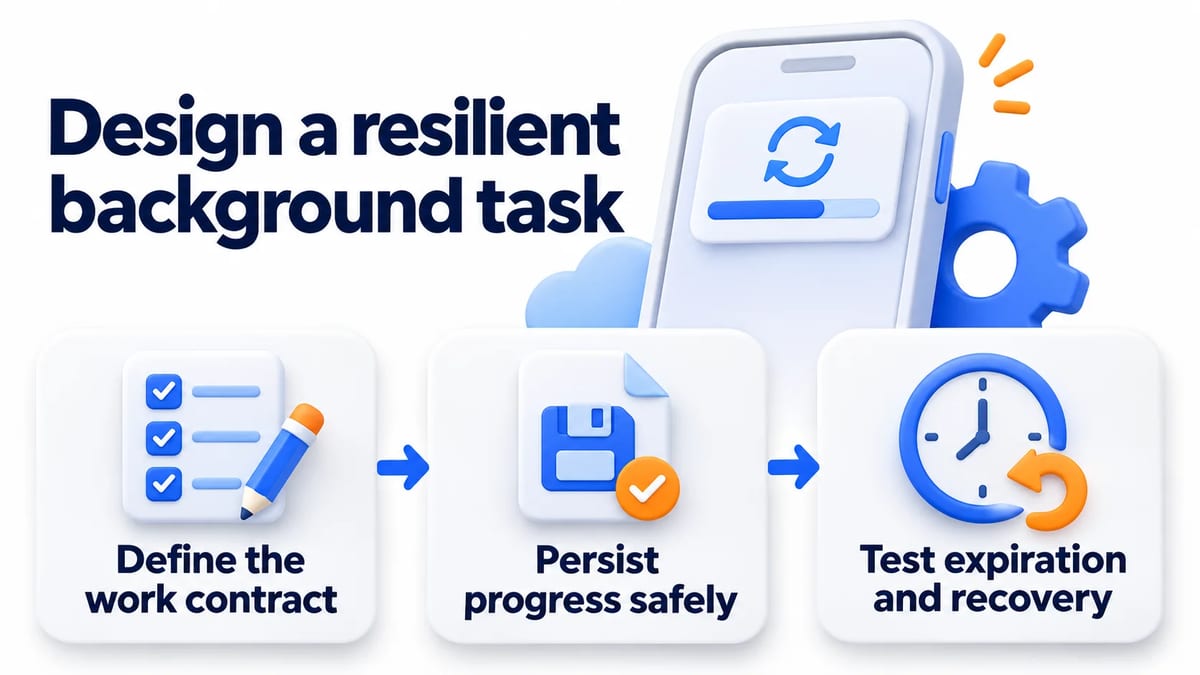
Define the work contract
Describe what one attempt can safely accomplish. For the article index, that might be one page of changed records followed by a durable cursor update. Specify how the app identifies the account and index generation, which records the attempt owns, and what counts as a successful unit. An obsolete account generation should never write into the current account's cache.
Give the scheduler integration responsibility for launch and completion. Give the worker responsibility for processing bounded units. Keep the job repository responsible for durable progress. These boundaries let foreground refresh reuse the worker without pretending that it owns a BGTask instance.
Define contention explicitly. If foreground refresh begins while background processing owns the same index, serialize the writes or use a durable claim with recovery semantics. An in memory Boolean cannot coordinate a later process launch. Account changes and deletion must also invalidate old work so recovery does not recreate content the reader removed.
Persist progress safely
Commit each processed page and its cursor in the same transaction when your storage layer supports it. Advancing the cursor first can skip records after a crash. Committing data first without a matching cursor can repeat the page. Make those repeated writes safe through stable record identities and version checks.
For remote effects, use an idempotency mechanism that the service actually supports. Persist the operation identity before sending the request. If the connection ends after the server commits, query or retry using that identity according to the service contract. A local completed flag cannot prove whether an interrupted remote request took effect.
Store enough information to resume without loading the whole catalog. Preserve the work identity, account generation, next cursor, and outcome of the last committed unit. Bound the amount held in memory and release page buffers between units. Treat inaccessible protected data or expired credentials as recoverable conditions with an explicit outcome, rather than silently moving the cursor.
Test expiration and recovery
Install expirationHandler before starting asynchronous work. Connect it to cancellation of the actual worker and its outstanding operations. Apple's expiration handler reference permits expiration before the initially allocated time is fully used. Keep cleanup short and preserve checkpoints during normal work instead of relying on a final large save.
Cancellation must reach the operation doing the work. Cancelling a Swift Task is cooperative, so check cancellation between units and use cancellation aware dependencies. A detached operation that ignores the signal can keep writing after your wrapper reports failure. Fence late callbacks against the attempt identity and account generation.
Give each delivered task one completion owner. Route success, failure, and expiration through a serialized finish path that calls setTaskCompleted(success:) exactly once. Coordinate cancellation with worker shutdown so completion does not claim that ongoing writes have stopped. Apple's completion reference explains the requirement to report completion before time expires. Report failure for an interrupted attempt while retaining committed progress for recovery.
Test interruption before a write, after a commit, and before a remote acknowledgement reaches the app. Relaunch and inspect the durable result. Expected behavior includes no missing pages, no duplicated remote effect, and no progress attributed to the wrong account. These are recovery assertions your team must verify for its implementation.
Own rescheduling and pending requests
Keep scheduling separate from business progress
A recurring refresh needs another submission for a later opportunity. A common arrangement schedules the next refresh when the current handler starts, while the durable repository records what remains to do. A failed future submission should be visible without discarding progress from the current attempt. Reconcile required work again on a later foreground launch.
Use one scheduling owner per identifier. According to Apple's submission reference, submitting a request for already pending work replaces the prior request. Two components can therefore keep changing the same request's timing or conditions. Centralize that decision so repeatedly opening a screen does not keep moving eligibility into the future.
Reconcile only requests your feature owns
Use pending request inspection to compare scheduled requests with current feature intent. The returned requests are copies. Editing one does not update the scheduler, so submit a new request when configuration must change.
On sign out, cancel the identifiers owned by that account's feature and invalidate its durable jobs. Avoid a global cancellation helper that removes unrelated maintenance requests. Pending scheduler requests describe future execution opportunities. They do not replace the durable queue, identify an actively running worker, or prove that a previous attempt finished.
Verify recovery on real devices
Debug background tasks separately from natural scheduling
First test the worker with controlled failures and storage assertions. Then exercise the system integration on physical devices. Apple's development testing guide provides debugger hooks for launch and expiration and states that those hooks work only on devices. Keep private debug hooks out of submitted applications.
A forced launch can establish that registration reaches the intended handler. Forced expiration can establish that cancellation reaches the worker and recovery reads the last checkpoint. Neither test establishes when the scheduler will naturally grant time. Simulator tests remain useful for ordinary application logic, but a simulated lifecycle event is not device scheduling evidence.
Run separate observations without forcing execution. Record the installed build, device and OS, app usage, network conditions, power state, and relevant background settings. Include a locked device and a later foreground return. Give each case an observable recovery expectation even if no background launch occurs during the observation window.
Log state transitions with useful identities
Record submission acceptance or error, handler entry, committed checkpoint, expiration, and completion outcome. Associate events with the task identifier and a separate durable job identity. Distinguish time waiting for launch from worker duration. A missing handler entry calls for a different investigation from a handler that starts and cannot obtain credentials.
Avoid logging article contents or access tokens. Collect aggregate failure categories and retain only the identifiers needed to correlate a safe test account. Use the flaky test diagnosis guide when forced recovery checks vary between runs, and the test data management guide to give repeated device cases known account state. Repeatedly reinstalling the app can hide the persistence defect you need to reproduce.
Use background URLSession for reading pack transfers
Let the transfer service own file movement
A large pack download belongs in a background URLSession, not inside a processing handler waiting for every byte. Apple's background download guide describes transfer delivery through a delegate and recovery using a stable session identifier after system termination. Move a downloaded file from its temporary location before the download delegate returns if you need to keep it.
Persist the relationship between the transfer and its reading pack. Recreate the session with the same identifier when required, handle delivered events, and finish the app's background session completion callback through the documented delegate flow. Download completion can then enqueue bounded indexing work. Transfer completion and a usable local index are separate product states.
Exercise force quit as a distinct case
Apple's background session configuration reference distinguishes system termination from a user terminating the app through the multitasking interface. For the latter, it documents cancellation of background transfers and no automatic relaunch until the user opens the app again. Do not present recovery from system termination as proof of recovery after force quit.
Keep a separate force quit case for deferred work too. Inspect the queue after explicit reopening and reconcile unfinished jobs without promising background relaunch as a recovery path. In the reading app, explain that the pack is still pending and offer a retry when the user returns.
For a safe beta build, request a BetaRoast human feedback round focused on stale content and interrupted downloads. Ask whether readers understand what is available offline and how to recover. BetaRoast feedback can reveal confusing status messages. It does not certify background scheduling, runtime performance, or checkpoint correctness.
Frequently asked questions
Can iOS background tasks run at an exact time?
BGTaskScheduler provides opportunities chosen by the system. An earliest begin date prevents an earlier start but does not reserve the requested instant. Keep time sensitive product promises independent of a deferred refresh and provide a foreground path for stale content.
Should I use BGAppRefreshTask or BGProcessingTask?
Choose app refresh for a short content update and processing for larger deferrable computation or maintenance. Bound both kinds of work and support interruption. Use a background URLSession when the main job is a file upload or download.
What should happen when a task expires?
Cancel outstanding work promptly, stop starting new units, and report the interrupted attempt through its single completion owner. Preserve previously committed progress. A later attempt should resume from that checkpoint and safely handle any unit whose final outcome was uncertain.
Does a successful debugger launch prove background reliability?
It proves only the behavior that the forced run exercised. Check expiration and persisted recovery separately, then observe natural launches on physical devices. Include a foreground recovery case when no launch occurs, and record force quit separately from normal backgrounding.
Choose the background API for the job, register handlers during launch, and treat scheduling as an opportunity. Persist bounded progress, make repeated effects safe, and give completion one owner. Verify expiration and recovery on devices, then observe natural launches separately from debugger tests.