
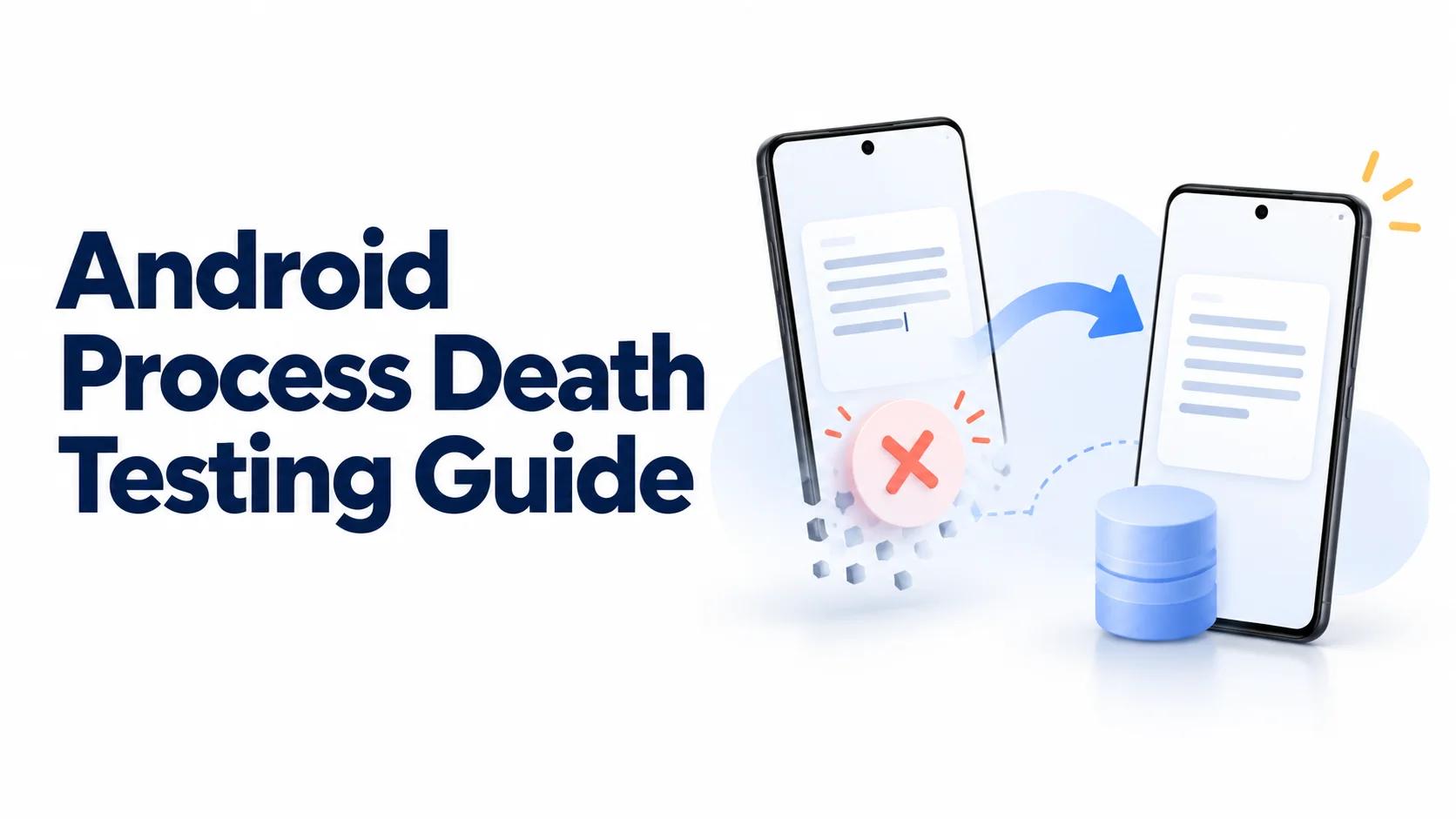
An editor that survives rotation can still lose its draft when Android removes the background process.
Android process death testing checks whether an app recovers when its background process disappears. The visible screen is only part of the contract. Navigation, unsent edits, attachments, and pending requests must recover from explicitly preserved state rather than objects that happened to remain in memory.
This guide uses a fictional FieldNote app with an editor and queued note submission. Every case is a proposed synthetic test, not a reported hands-on result. Add these missions to your Android beta testing plan after establishing repeatable engineering checks.
Follow a repeatable process death testing workflow
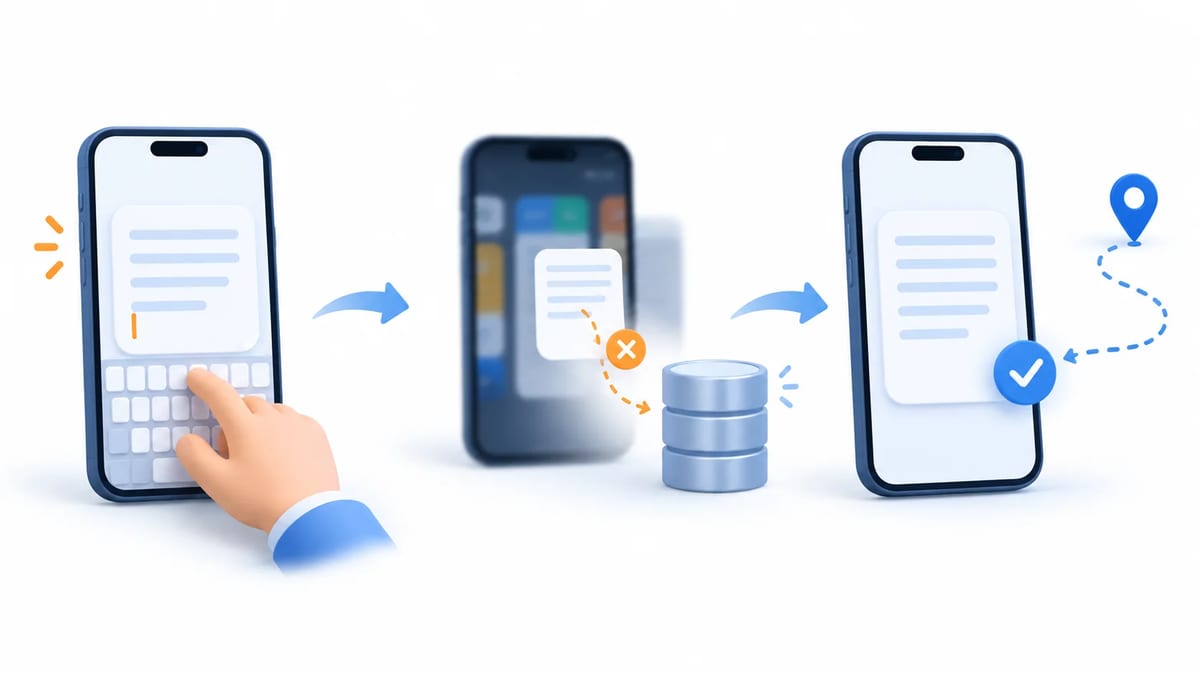
Choose a journey with a meaningful interruption. Open a note, enter synthetic text, attach a fixture image, and move to the review screen. Define which information must return and which temporary details may reset.
- Record the build, package, device serial, Android version, and entry point.
- Prepare the fixture and observe the current process and draft identity.
- Background the app and confirm the activity has stopped.
- Terminate only your app's eligible background processes and verify termination.
- Return through the existing task and check navigation, data, and pending work.
- Repeat through a cold launch and compare against that separate contract.
Use a release-like artifact without an attached debugger for the representative run. Keep a diagnostic build for lifecycle logging. Include both an emulator and supported physical devices, with offline recovery as a deliberate matrix row.
Distinguish process death from other lifecycle events
Activity recreation preserves more than process death
Rotation or window changes can recreate an activity while its process remains alive. A surviving ViewModel can conceal missing persistence. Process death removes that process's ViewModels, singleton caches, coroutines, and other memory.
Android's process lifecycle guidance says that system termination does not guarantee an onDestroy() callback. Saving valuable edits there cannot provide a reliable recovery contract. Persist changes while the feature operates.
Force stop and swipe away need separate expectations
Force stop explicitly puts the package into a stopped state. The Android 15 behavior documentation also describes cancellation of pending intents when entering that state. Treat Settings Force Stop and am force-stop as separate recovery cases, rather than substitutes for background eviction.
Swiping a task away from Recents dismisses that task. It does not establish that every app process or service ended. Record task removal and process observations separately. Valuable drafts should remain recoverable from storage according to product policy, even when transient navigation is discarded.
Don't keep activities is not process death
The developer options documentation describes Don't keep activities as destroying activities when their main view is left. It does not prove that the application process ended. Use it for activity lifecycle defects, then disable it before the process death baseline so the two mechanisms do not overlap.
Assign state to the right storage layer
Separate durable records from reconstruction hints
The UI state preservation guide distinguishes memory, saved state, and persistent storage. A ViewModel handles configuration changes, but its instance cannot survive process termination. A database, app files, or DataStore can preserve suitable data across launches.
In FieldNote, store the draft body and attachment metadata durably. Save the draft identifier, selected tab, and small filter values as reconstruction hints. Keep derived search results and image buffers out of saved state, then reload them from their source.
Respect SavedStateHandle timing and task scope
The SavedStateHandle guide ties saved state to the task stack. Force stop, task removal, or reboot can remove that restoration context. It is not a durable document store.
The same guide warns that writes while the host activity is stopped are not captured unless another start and stop cycle occurs. A background callback updating a handle does not prove its latest value will restore. Persist important background results in the repository and reconstruct the screen from those records.
Keep the saved payload small
The TransactionTooLargeException reference describes a Binder transaction buffer currently sized at 1 MB and shared across transactions in progress. That is not an individual screen's safe allowance. Test long inputs and nested navigation without storing bitmap bytes, complete response objects, or entire document histories in a Bundle.
Verify Compose state at its actual owner
For lightweight UI state, the Compose state saving guide documents rememberSaveable and custom savers. Ordinary remember keeps state only in the composition. Check ownership and keys when switching between two drafts so a restored value cannot appear under the wrong record.
Terminate your own background app with adb
Use an explicit emulator or device
The adb activity manager reference documents am kill as terminating package processes only when they are safe to kill. Background the app with Home, wait for its stopped state, and use a selected device and user. These example commands are for your own disposable test app only.
List available devices with adb devices -l.
Observe the original process with adb -s emulator-5554 shell pidof com.example.fieldnote.
After backgrounding, run adb -s emulator-5554 shell am kill --user current com.example.fieldnote.
Check again with adb -s emulator-5554 shell pidof com.example.fieldnote.
Replace the serial and package with verified values. The explicit user avoids the command's default scope across users. Do not use kill-all, clear application data, uninstall, or force stop for this case.
Verify the intervention before evaluating restoration
Capture the original PID, verify its disappearance, and record the subsequent process start. If the package uses named secondary processes, inspect those separately because the main process name alone is incomplete evidence. A service can keep the process ineligible, or another component can restart it.
Return by selecting the retained task in Recents. If termination did not occur, label the case inconclusive and investigate process importance. This intervention tests recovery from removed memory. It cannot promise the exact timing or selection behavior of Android's low-memory eviction on a particular manufacturer device.
Restore navigation from validated identifiers
Rebuild destinations without relying on caches
Navigate from the list to draft editing and then review. After background termination, expect the intended destination with the same draft identity. Press Back and verify the preceding screen rather than accepting a review screen with a broken history.
Android's navigation argument guidance recommends passing identifiers instead of complex objects. Reload the draft through its repository. A missing in-memory object must not become an empty editor that overwrites the persisted draft.
Handle unavailable destinations deliberately
Propose a case where the draft was deleted or access expired while the app was away. Show a recoverable destination with a clear explanation instead of crashing or silently displaying a different record. For authentication recovery, preserve a safe pending destination and revalidate authorization before showing protected content.
Test deep links independently using your Android App Links guide. A cold link into a draft and restoration of an existing task can have different histories. Define how incoming navigation combines with restored state, especially when both initialization paths try to open the same destination.
Preserve drafts through interrupted persistence
Define when an edit becomes durable
An autosave debounce creates a potential loss window. State the expected behavior for immediate backgrounding after the last keystroke. Distinguish text visible in the widget from a completed repository write. A saving indicator should become saved only after the relevant persistence operation succeeds.
Propose one case after confirmed persistence and another before confirmation. Do not turn an unfinished write into a false guarantee. If the product promises every accepted edit survives, design its persistence boundary accordingly and test that boundary explicitly.
Recover attachments and competing versions
Use a synthetic attachment whose bytes and metadata are both available after relaunch. A restored URI string alone cannot establish that its content remains readable. Verify the app's copy or access strategy by opening the attachment after recovery.
Load the persisted draft before applying transient editor restoration. Reconcile version or timestamp differences deliberately so an older saved UI snapshot cannot overwrite a newer background save. Test offline edits, reconnect, and a second synthetic client changing the same note. Define conflict behavior before calling either version authoritative.
Make interrupted operations safe to retry
Persist operation identity before sending
Process termination can occur after the server accepts a submission but before the client records its response. In a controlled fixture, delay the response, background the app, and terminate the eligible process. On return, reconcile the operation instead of creating a second submission automatically.
Give each logical submission a durable identity and design the backend to deduplicate retries using that identity. Persist request intent, reconcile acknowledgment, and render status from recorded outcomes. This is a proposed application contract, not an Android API guarantee. A disabled button and a saved loading flag cannot establish it.
Separate scheduling from exactly-once effects
WorkManager's persistent work guidance covers work surviving app restarts and device reboots. Its unique work documentation explains named scheduling and conflict policies. Neither feature makes a remote side effect exactly once.
Test recovery before enqueueing, during execution, and after server acceptance. Check eventual status and logical server record count. Retryable workers need idempotent effects, and work subject to network constraints must present an honest pending state. Force-stop behavior and scheduling delays belong to additional cases with their own expectations.
Check cold starts and app upgrades
Start without a restorable task
Remove the task or reboot the test device, then deliberately launch the app. Expect durable drafts and recorded operations to remain discoverable, while task-scoped scroll position or navigation may reset. Repeat signed out and offline so startup does not depend on an immediately successful network refresh.
Do not use data clearing as a shortcut for this scenario. A fresh installation answers a different question. Separate launch entry point, process startup, and availability of saved task state in the report.
Upgrade existing data without a destructive reset
Create a draft and pending submission in the previous supported build, then install the candidate update while preserving app data. Verify migrated content, attachment access, and operation identity. Also attempt task return and handle obsolete destination arguments safely if restoration is offered.
The Room migration guide warns that destructive migration fallback can delete stored data when a migration path is missing. Test representative historical schemas and record content assertions. A successful database open does not prove the draft survived.
Automate recovery checks and preserve release evidence
Separate recreation tests from process termination
ActivityScenario.recreate() saves activity state and creates a replacement activity. Use it for recreation coverage, and label it accurately. Compose restoration tests and constructed SavedStateHandle tests likewise verify selected state logic without proving complete process recovery.
Run the termination journey from a host controller or another process that survives the intervention. Record task return, observed process changes, draft content, Back behavior, and backend effects. Avoid a harness launch helper that force stops or clears data before every assertion.
Make failure reports actionable
Capture build, OS, serial, package, lifecycle observations, entry point, fixture identifiers, and expected versus actual outcomes. Include persistence confirmation and server record counts when relevant. Follow the mobile bug report guide, using redacted logs and synthetic content.
Approve a release against recorded recovery contracts, then retest material fixes on representative devices. Create a BetaRoast testing round with a focused background-and-return mission, supported device requirements, and explicit evidence requests. External testers can check ordinary recovery journeys while engineering owns controlled termination checks.
Frequently asked questions
Does Don't keep activities simulate Android process death?
No. It destroys activities and can reveal recreation defects. Verify actual process termination separately because application memory may survive that developer option.
Is force stop equivalent to a low-memory kill?
No. Force stop puts the package into a stopped state and changes recovery expectations. Use a scoped background kill for retained-task recovery and test force stop separately.
Can SavedStateHandle replace durable draft storage?
No. It preserves lightweight reconstruction state within a surviving task context. Store valuable drafts and operation identities durably, then reload them through validated identifiers.
Can an emulator reproduce exactly when Android evicts an app?
No. Controlled termination checks recovery from lost process memory. Eviction depends on process importance, device conditions, and platform behavior, so physical-device observations remain separate evidence.
Verify process termination independently from activity recreation and task dismissal. Keep saved state small, persist valuable drafts and operation identities, and restore navigation from validated identifiers. Test recovery through Recents, cold starts, and upgrades, then reconcile interrupted requests without duplicating their effects. Preserve evidence of the termination and the recovered outcome for each release case.