
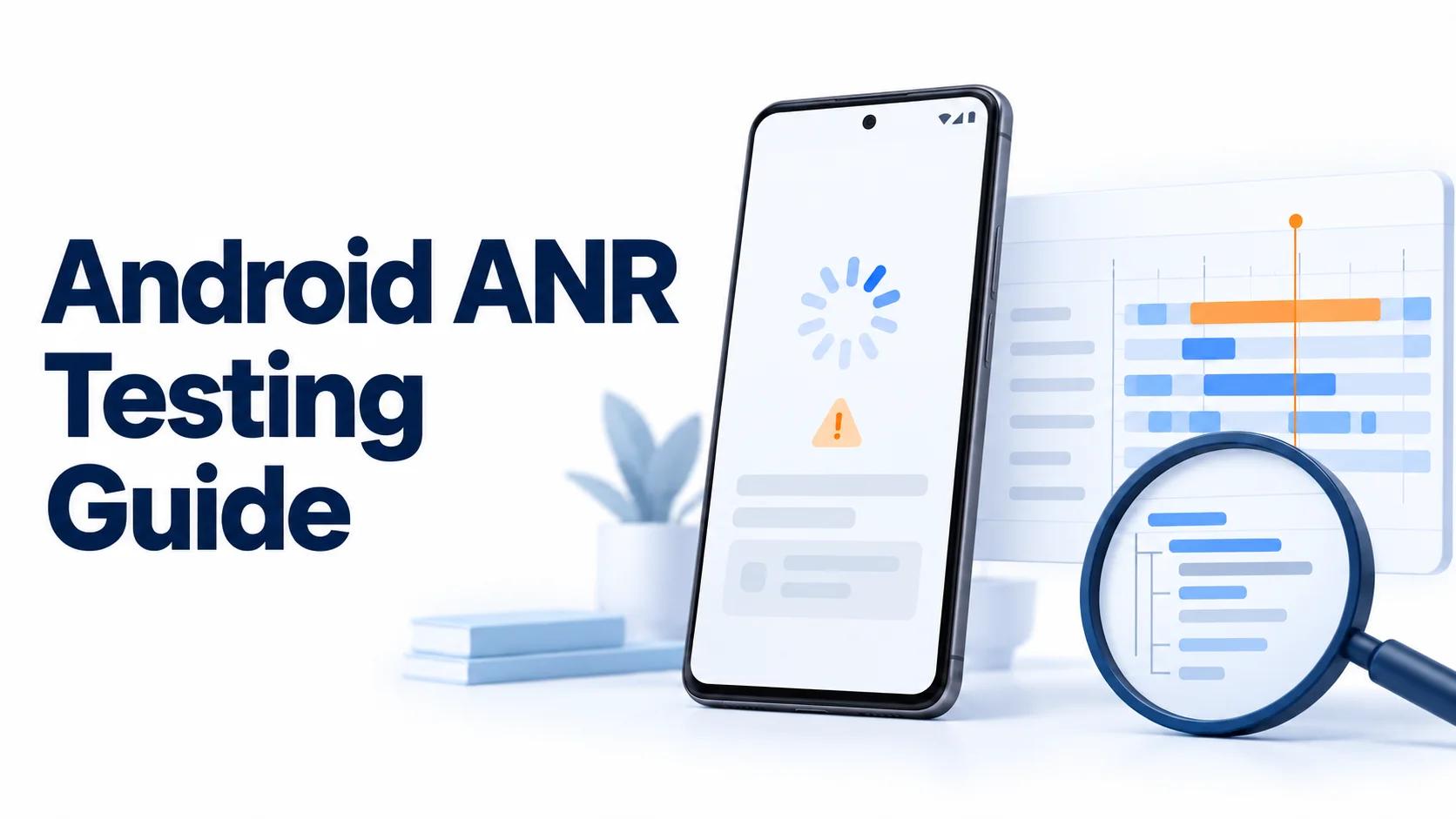
A frozen screen identifies the symptom. The useful evidence shows what prevented Android from completing the work on time.
Android ANR testing should connect an unresponsive action to the work that missed a system deadline. A tester's recording establishes the visible failure. A thread dump and timeline help explain whether the app was computing, waiting for a dependency, or unable to run.
This guide separates controlled reproduction, evidence collection, and root cause analysis. Use it for a focused BetaRoast mission after basic installation and core journeys work. Keep recruitment and distribution in your Android app beta testing plan.
Distinguish an ANR from jank and a crash
An Application Not Responding event means a monitored operation exceeded its allowed completion time. An ANR does not necessarily terminate the process immediately, and the absence of a dialog does not prove that no ANR occurred.
Jank describes visibly uneven rendering when frames miss their timing budget. That budget depends on refresh rate, so 16 milliseconds is a useful approximation for 60 Hz, not every display. A brief stutter or frozen frame deserves investigation without automatically being classified as an ANR.
A crash is an unexpected process exit caused by an unhandled exception or signal. Record whether the app stayed alive, recovered, displayed a system message, or exited. A screenshot of a spinner alone cannot distinguish an asynchronous request that never completed from a blocked UI thread.
Identify the timeout category first
Read the ANR subject and component before selecting a test. The official ANR diagnosis guide gives category-specific defaults.
- Input dispatch typically has a five-second deadline. A no-focused-window input ANR needs window and startup investigation as well as thread inspection.
- Broadcast deadlines depend on intent priority and OS version. Android 13 and earlier use 10 seconds for foreground-priority broadcasts and 60 seconds otherwise. Android 14 and later allow 10 to 20 or 60 to 120 seconds respectively, depending on CPU starvation.
- Execute-service defaults are 20 seconds for foreground services and 200 seconds for background services. These include required cold startup and lifecycle execution.
- Remote content-provider timeouts depend on the detection timeout configured by the client. They are not a universal five-second rule.
Treat these as diagnostic context, never a latency target. Foreground-service promotion and job callbacks have separate obligations. The Android ANR overview also distinguishes explicit job-related ANRs for apps targeting Android 14 or later from silent behavior for apps targeting Android 13 or earlier. Record OS and target SDK separately.
Build a repeatable ANR test workflow

Choose one journey, such as opening a large offline library after a cold launch. Define the expected response, dataset, and starting state. Change one variable per case so a failure remains attributable.
- Record version code, commit or build identifier, target SDK, Android version, device model, and process state.
- Run a baseline with synthetic data and no injected delays. Note cache state, network, charging, and thermal conditions.
- Start collection before repeating the exact actions. Timestamp the first missed response and any recovery.
- Preserve the ANR subject, relevant thread dumps, and trace interval. Record failures as a count of attempts, such as two of five.
- Retest the fix under the same conditions, then extend coverage to nearby cases.
Include a supported slower physical device and a device family implicated by field reports. Emulators help repeat OS and dataset conditions, but host scheduling and virtual storage are different from physical hardware. Test cold startup separately from reopening an already running process.
Do not attach a debugger during the baseline timing run. Pausing threads and instrumentation overhead can change the behavior you are trying to measure. Keep diagnostic builds and release-like verification results clearly labeled.
Reproduce failures safely on real devices
Exercise realistic slow dependencies
Use large synthetic datasets, controlled server latency, offline transitions, or a test dependency that returns slowly. Repeat navigation while background synchronization is active. Specify a bounded request timeout and verify that cancellation or failure leaves the screen responsive.
Avoid destructive storage pressure, uncontrolled CPU stress, and real purchases. A supported slower device is a useful experiment without deliberately overheating it. Reset only the agreed test installation and state, since clearing data can destroy the conditions needed for reproduction.
Validate collection with debug-only fault injection
For an internal input-timeout experiment, a developer can add a debug-only button whose main-thread handler performs a bounded wait, for example ten seconds. Start tracing, trigger it, and attempt another tap while it is blocked. Capture the actual system outcome rather than promising a dialog at an exact instant.
Compile the entry point out of production builds. Require deliberate activation, label the run as synthetic, and provide recovery instructions. Use an isolated test device and account. This experiment checks whether the evidence pipeline detects a known blockage; it does not establish the cause of a production ANR.
For dependency experiments, delay a fake repository or hold a test lock with an independently enforced release deadline. Never create a permanent deadlock. Confirm that the hook is absent from the release artifact before distributing a normal beta.
Capture evidence before the blocking interval disappears
Record a Perfetto timeline
Android's on-device System Tracing guide documents the utility available on Android 9 and later. Android 10 and later save Perfetto-format traces. Enable Developer options, open System Tracing, choose relevant categories, start recording, reproduce the failure, and stop promptly after recovery or the ANR.
The default rolling buffer holds roughly 10 to 30 seconds of activity. Waiting to finish a long report can overwrite the beginning of the failure. Configure longer capture limits for rare reproductions, while bounding duration and storage. Collection capability and available categories vary by device.
Open the saved trace in Perfetto and locate the app process, main thread, worker threads, CPU scheduling, and available Binder activity. Add stable operation labels following Android's custom trace event guidance. Configure the app as profileable when needed for custom events, and avoid embedding account IDs or request contents in labels.
Preserve a bug report and exit history
Capture a report soon after the event using Developer options or adb bugreport, as described in Android bug report collection. With multiple connected devices, use adb -s SERIAL bugreport and verify the selected device. A report can include logs, service diagnostics, and available ANR evidence; it is not guaranteed to contain every needed artifact.
On Android 11 and later, guard collection with Build.VERSION.SDK_INT >= 30. Query your app's recent deaths through ActivityManager.getHistoricalProcessExitReasons, using a bounded result count. Match process and timestamp to the failed run. This is historical exit information, not a live hang detector or a complete event archive.
The ApplicationExitInfo reference documents REASON_ANR and getTraceInputStream(). ANR traces can accompany a later exit for another reason if the process recovered first. Trace storage uses a separate global circular buffer, so the stream can be null or overwritten. Handle IOException, close streams, and process them off the main thread. API 31 adds native-crash tombstone streams; that does not make every trace format interchangeable.
Follow the dependency that stopped progress
Read stacks together with timing
A dump captures a moment. An idle main stack containing nativePollOnce can reflect late collection or system load. An input-dispatch cluster may therefore lack an actionable app stack. Broadcast or service cases can still expose worker delays or UI threading violations that disrupt message dispatch. Compare timestamps, relevant threads, and the earlier trace before deciding whether the ANR error suggests an app defect.
Use Android's processes and threads overview to check execution assumptions. Posting work to a main-thread handler still runs it there. Moving a task to a worker helps only if the UI does not synchronously wait for its result.
Check lock ownership and blocking waits
Find the main-thread wait, then identify the owner or operation it depends on. Follow monitor ownership across thread dumps where available. Inspect Future.get(), latches, synchronous database access, and locks held across disk or network work. Compare their duration with the failed interval.
Prefer shorter critical sections and asynchronous result delivery. Moving I/O to a worker while holding a lock needed by the main thread preserves the dependency that caused the freeze.
Check Binder waits and CPU scheduling
For a main thread waiting in a synchronous Binder transaction, identify the destination process and its available threads in the trace. For a running main thread, inspect the work consuming CPU. For a runnable thread that rarely executes, check competing load and scheduling before blaming the current method.
A long Binder slice shows where time was spent, but may not expose the remote root cause. Record unavailable remote evidence explicitly. Compare a failing trace with a baseline from the same device and workload.
Inspect receiver completion and service startup
The broadcast overview explains that goAsync() keeps the broadcast active after onReceive() returns. Ensure PendingResult.finish() executes on success, failure, and cancellation. Measure queue delay as well as worker execution, and check that the executor has capacity. Returning from the callback alone is insufficient.
The services overview states that services use their hosting process's main thread by default. Check initialization and lifecycle callbacks for blocking dependencies. A service is not automatically a worker thread. Keep startup brief and schedule appropriate background work without making lifecycle completion wait for it.
Use StrictMode and Android vitals for different questions
StrictMode helps expose accidental disk and network work on the main thread. Enable a thread policy in internal debug builds with disk-read, disk-write, and network detection plus logging. Repeat the suspect flow and inspect the call sites.
StrictMode is best effort, including limitations around JNI access. A clean run cannot rule out CPU saturation, lock contention, or every blocking dependency. Death penalties also change the observed outcome into termination, so label those runs separately from ANR reproduction.
Android vitals ANR metrics help prioritize field failures. The documented user-perceived rate currently counts input-dispatch ANRs and measures affected daily active users, not the percentage of test attempts. Compare clusters by app version, device model, and Android version where data is available.
Current bad-behavior thresholds are 0.47% overall and 8% per device model. Verify the documentation when making release decisions. These are Play quality thresholds, not acceptable response times or proof that a small beta sample is healthy.
For an internal test, an empty Google Play Console dashboard is not evidence of healthy app performance. Play's collection guidance describes opted-in diagnostic sharing, daily updates, insufficient-data filters, and exclusions for uncertified devices or installations outside Google Play. Keep local evidence even when the dashboard has no matching event.
Verify the fix and share a useful report
Repeat the original failure with injection disabled on the same device, dataset, and lifecycle state. Check input response during the slow operation, timeout handling, cancellation, retry, and final data correctness. A responsive screen that silently loses the result is still a failed fix.
Then test cold and warm starts, smaller and larger datasets, and relevant concurrent work. Compare traces to confirm the dependency changed. Record attempts and observations rather than claiming that one passing run proves the ANR impossible.
In a BetaRoast round, ask testers for actions, build, device, timestamp with timezone, expected response, actual response, recovery, and frequency. Developers should attach the classified ANR and evidence interpretation using the mobile bug report guide.
Obtain informed permission for diagnostic collection. Bug reports and traces can expose device identifiers, URLs, account information, and unrelated activity. Keep raw artifacts in restricted storage with defined retention, and share redacted excerpts publicly. Never request credentials or publish a complete device report in a community finding.
Frequently asked questions
Does every Android ANR happen after five seconds?
No. Identify the monitored component, OS version, intent priority, and target SDK where relevant. Broadcast, service, provider, and job cases have different rules.
Does an idle main-thread stack rule out an ANR?
No. Collection may be late, or another thread may own the overdue work. Correlate the category, worker stacks, and timeline before deciding.
Can ApplicationExitInfo collect every ANR?
No. It requires API 30 or later and describes historical process exits. Records and traces are bounded, and an available trace must be matched to the reproduction.
Is a synthetic freeze enough to verify a fix?
No. It validates diagnostic collection. Verify the actual failing journey with injection disabled and confirm responsiveness, recovery, and correct results on representative devices.
Classify the ANR before choosing a reproduction or reading a stack. Capture the interval before the failure, follow dependencies across main, worker, and Binder threads, and preserve the conditions that exposed the problem. Use debug-only fault injection to validate collection, then verify the actual fix on representative physical devices with injection disabled. Share a concise redacted report while keeping raw traces and bug reports in restricted storage.