
A paywall can look finished in TestFlight while restoration, entitlement changes, and renewal handling are still broken.
TestFlight in-app purchase testing lets a team validate its real App Store Connect product configuration and StoreKit flow in a beta build without charging testers. The transaction succeeds in Apple's sandbox, not in production. That makes TestFlight useful for release rehearsal, but it also creates account and timing behaviors that teams need to understand before asking external testers to try a paywall.
This guide focuses on purchases and subscriptions inside a TestFlight build. For general invitations, groups, and build review, use the TestFlight external testing checklist.
Understand what TestFlight actually tests
Apple says apps downloaded from TestFlight automatically use the sandbox environment for in-app purchases. Transactions do not incur real charges and do not carry over to the production app. TestFlight uses the product data configured in App Store Connect, so this is a different test from a local StoreKit configuration file in Xcode.
Use Xcode StoreKit Testing early for repeatable local scenarios and forced errors. Use sandbox and TestFlight when you need to exercise actual product identifiers, App Store-signed transactions, storefront behavior, and server integration. Apple's testing-stage comparison explains what each environment covers.
Do not infer that a successful sandbox purchase proves the production catalog, pricing, agreements, or review status are ready. It proves the specific test path you exercised.
Prepare App Store Connect before inviting testers
Confirm the app record, bundle identifier, product identifiers, product type, localized name, and price. The IDs requested by your StoreKit code must exactly match the products configured for this app. Apple also lists an active Developer Program membership and a signed Paid Applications Agreement among the sandbox prerequisites.
Upload a build with the purchase implementation and confirm that the product list loads in that build. Allow for propagation of product metadata changes. Apple notes that changes in App Store Connect can take up to an hour to appear in the sandbox.
Create Sandbox Apple Accounts in App Store Connect for controlled test scenarios. Use separate accounts for independent purchase histories, regions, or subscription states. Apple's sandbox setup documentation and App Store Connect configuration guide cover these prerequisites.
Use the right account on a TestFlight device
Installing the beta requires a regular Apple Account that has TestFlight access. The app's in-app purchases still run in sandbox. For basic testing, distinguish this automatic sandbox behavior from the optional Sandbox Apple Account controls.
When you need controls such as a different renewal rate or purchase-history reset, Apple instructs TestFlight testers to sign out of the production Apple Account under Settings, Apple Account, Media & Purchases, then sign in with a Sandbox Apple Account under Settings, Developer. The Sandbox Apple Account must belong to the developer account that owns the app.
Apple warns that signing out of Media & Purchases can affect access to purchased content in other production apps. Use a dedicated test device when possible and give testers the account switch instructions only when the scenario truly requires it. If they sign back in to their production Media & Purchases account, the TestFlight app may attribute purchases to that account again.
The exact sequence is in Apple's TestFlight sandbox guide and App Store Connect TestFlight purchase help.
Build a purchase scenario matrix
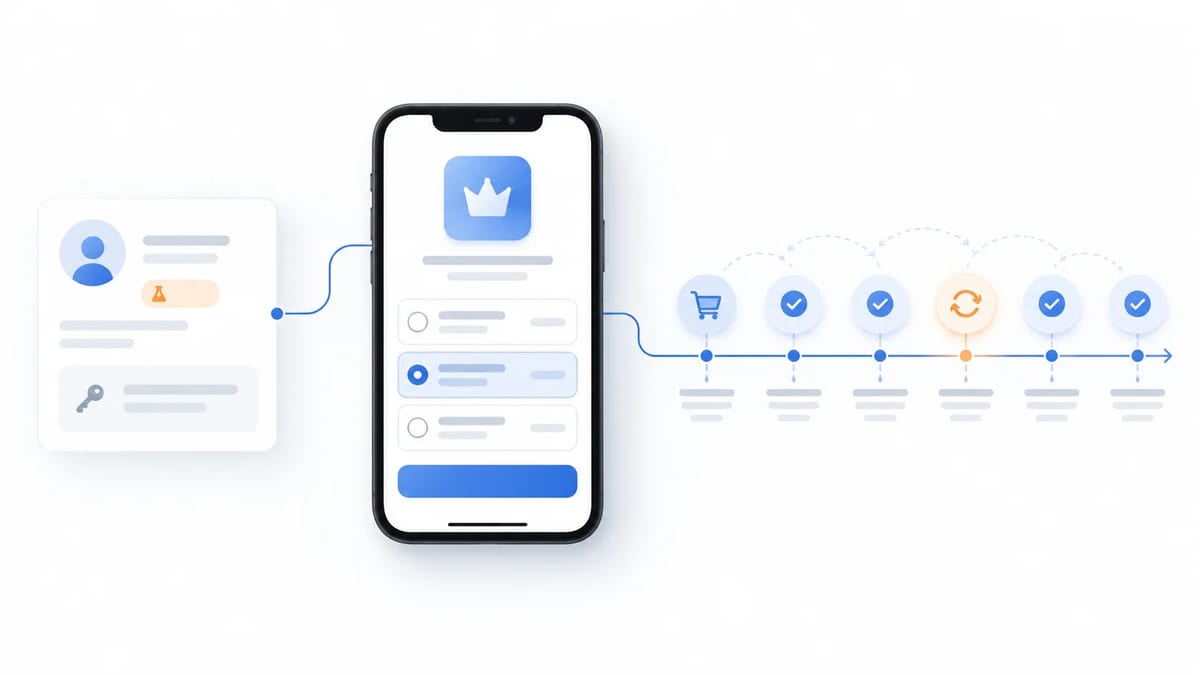
Start with one product and one known device. Confirm that StoreKit returns the expected product ID, localized title, price, and storefront. Then purchase it and verify three layers independently. The Apple transaction, the app's local entitlement, and the server's entitlement record if the product uses a backend.
Extend the matrix across the product lifecycle
- First purchase from a clean account
- Cancelled or interrupted purchase without accidental access
- Repeat purchase of a non-consumable without duplicate entitlement
- Restore after reinstall or signing in on another supported device
- Subscription renewal, expiration, cancellation, and reactivation
- Upgrade or downgrade when the catalog supports it
- Offline launch and recovery after the network returns
- A second storefront if price or availability differs by region
Capture the build number, product ID, account type, storefront, transaction time, expected entitlement, and observed app and server states. Never place a tester's account password or full transaction data in a public bug report.
Understand accelerated subscription renewals
TestFlight subscription timing is not a preview of a customer's real billing calendar. Apple's current TestFlight guidance says subscriptions renew daily, up to six times within one week, regardless of their normal duration. A Sandbox Apple Account can be used when a test needs different renewal-rate controls.
Design the test around state transitions, not only a clock. After each renewal, check whether the entitlement remains active, whether your server receives and processes the event, and whether UI copy reflects the correct state. After expiration, make sure premium access ends at the expected moment and the app can recover if an event arrives late.
Apple's sandbox controls also support changing region, clearing purchase history, and simulating selected subscription conditions. Reset only the test account intended for that scenario so another tester's evidence remains intact.
Verify the server as carefully as the purchase sheet
A successful sheet does not mean the backend granted the right content. For apps that verify purchases server-side, log whether the transaction came from sandbox, verify signed transaction data with Apple's supported APIs, and keep sandbox and production endpoints separate. App Store Server Notifications include an environment indicator that your server can use to route test events.
Test a delayed server notification, a duplicate event, and an app relaunch before notification delivery. The app should not grant a permanent entitlement solely because a button tap completed. Nor should a paying tester be locked out because a notification arrived later than the UI expected.
Apple describes sandbox server notifications and App Store Server API behavior in its sandbox documentation. Use synthetic accounts and retain only the minimum evidence needed to debug the flow.
Troubleshoot missing products or failed purchases
If a product does not load, check the product ID, bundle ID, App Store Connect configuration, agreements, and recent metadata changes before changing the UI. Compare the exact build and storefront. Apple's sandbox availability technote documents common configuration mistakes.
If a purchase succeeds but access is missing, inspect transaction verification, entitlement mapping, restore logic, and server environment. If renewal behavior seems too fast, compare the test against Apple's accelerated TestFlight schedule instead of production duration.
Keep one reproducible report per failure with the product ID, device, OS, build, account type, time, expected result, actual result, and safely redacted evidence. The mobile app bug report guide has a reusable structure.
TestFlight purchase release checklist
- Confirm the app and product identifiers match App Store Connect.
- Check agreements, product metadata, and a stable TestFlight build.
- Use a dedicated Sandbox Apple Account for advanced controls.
- Verify product loading and the first successful transaction.
- Check entitlement in the app and on the server.
- Test cancellation, restore, reinstall, and account switching.
- Observe renewal, expiry, and subscription state changes.
- Confirm sandbox notifications and environment routing.
- Retest each fixed failure on the same account and device state.
Frequently asked questions
Are TestFlight in-app purchases charged to testers?
No. Apple states that TestFlight in-app purchases use the sandbox and do not process real payments. Testers should still know they are in a beta environment and use only the account setup the developer describes.
Do TestFlight testers always need a Sandbox Apple Account?
No. TestFlight purchases run in sandbox automatically. A Sandbox Apple Account gives access to additional testing controls and scenarios, but switching Media & Purchases accounts can disrupt access to personal purchases on the device.
Why do subscriptions renew so quickly in TestFlight?
Apple accelerates TestFlight subscription renewals for testing. Its current guidance says a renewal occurs daily, up to six times within a week. Use sandbox account settings if your scenario needs different controls.
Will a TestFlight purchase unlock the production app?
No. TestFlight sandbox transactions are test data and do not carry into production purchases.
Turn purchase testing into a useful beta mission
Create a BetaRoast testing round with the exact build, test account instructions, product IDs, scenarios, safe evidence rules, and a retest owner. Ask testers to verify the entitlement they receive, not merely whether a purchase sheet appeared.
TestFlight in-app purchases run in Apple's sandbox, so testers can exercise purchase flows without real charges. A credible test goes beyond the success sheet. Verify that product identifiers load, the correct account and storefront are active, transactions grant the right entitlement, purchases restore after reinstall, renewals and expirations update access, and the server handles sandbox notifications. Use a Sandbox Apple Account when you need the advanced controls Apple exposes, and test on a dedicated device if switching Media & Purchases accounts would disrupt personal purchases.