
An offline homepage proves little when a deep link fails, a previous account remains visible, or an update strands an open tab.
PWA testing verifies that a progressive web app behaves predictably when connectivity, browser storage, account identity, and deployed versions change. A useful test plan checks the service worker, cached responses, local database, and server together. Installing an icon or loading a cached homepage does not establish offline reliability.
This guide focuses on web runtime correctness. A native app needs separate distribution checks, while passwordless authentication and AI evaluation require their own plans. FieldNotes, the example used below, is a hypothetical inspection workspace with synthetic accounts and records. Its test scenarios are proposed engineering checks, not experiments with reported results or performance measurements.
Build a repeatable PWA testing workflow
Define the offline contract before testing
Identify which routes, records, and actions must work offline. Separate readable cached content from editable local drafts and operations requiring server confirmation. Define how the interface communicates stale data, unavailable content, and pending work. These decisions determine what a passing test means.
For hypothetical FieldNotes, previously downloaded inspections remain readable, drafts can be saved locally, and assignment changes require connectivity. Test those promises independently. A generic offline banner cannot explain whether a particular inspection is available or whether a submitted change reached the server.
Record state and follow a fixed sequence
Capture frontend build, worker version, API revision, database schema, browser, OS, launch mode, account, and cache preparation. Preserve separate profiles for fresh installation and upgrades.
- Start with an empty profile and load the published staging build online.
- Confirm worker control and the intended cached resources.
- Exercise offline navigation and interrupted writes.
- Switch accounts and inspect retained local data.
- Deploy the next build while existing clients stay open.
- Reconnect, reconcile records, and verify the resulting server state.
Repeat each failure with its initial state restored. Otherwise, visiting a route during investigation can populate the cache and conceal the original defect.
Verify service worker lifecycle and build identity
Distinguish registration activation and control
A resolved registration promise does not prove that the current document is controlled. Inspect the active worker and the document's controller separately. The web.dev lifecycle guide explains installation, activation, waiting, and client control. Test the first online visit and a subsequent controlled navigation as distinct states.
Expose a diagnostic build identifier in staging evidence. Compare document, worker, and asset identities rather than trusting a version label rendered by stale JavaScript. Include a worker script download failure and a required precache resource failure, with an explicit expected recovery path.
Validate the deployed asset set
Use immutable asset names and identifiable cache versions. Test the deployed output behind its actual HTTPS origin, scope, redirects, and CDN configuration. Development servers can have different routing and caching behavior.
Request a lazy module after initial load, then repeat following an interrupted deployment. Assert that the page either obtains compatible resources or presents deliberate recovery. Record which resource failed and which build requested it. A successful shell render can conceal a missing editor bundle until the user opens a particular inspection.
Test offline starts and direct deep routes
Separate fresh warm and cold conditions
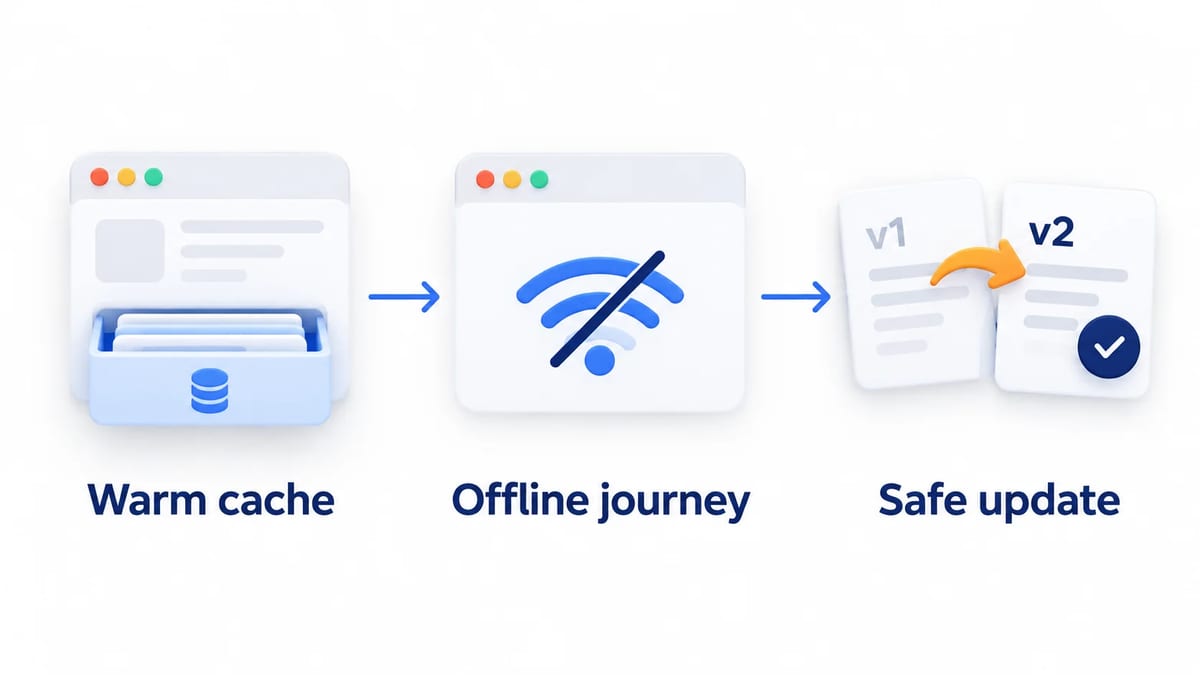
A fresh offline visit has no installed worker or downloaded application resources. Set an honest expectation for that state. A warm offline test disconnects an already running, prepared app. A cold offline test closes its clients and launches again without connectivity, retaining the prepared storage.
Run all three. In FieldNotes, reopen a downloaded inspection offline after closing the browser, then request an inspection never downloaded. The first should follow the offline contract; the second should identify unavailable content without fabricating an empty inspection or silently showing another record.
Navigate through the document boundary
Paste a nested inspection URL directly, refresh it, and launch it from a bookmark while offline. Compare those results with clicking an internal link in an already loaded page. Exercise query parameters, trailing slashes, and routes outside the worker's scope.
Assert that a navigation fallback returns the intended document, while missing API responses and scripts retain appropriate failure behavior. Serving HTML for a JavaScript or JSON request can produce misleading parser errors. Repeat with slow connectivity, a server error, and an interrupted response so network failure is not the only recovery branch.
Protect cached account data during logout
Separate public assets from private records
The MDN Cache reference explains that Cache API entries need explicit maintenance and do not honor HTTP caching headers. A private response's headers therefore do not replace a service worker caching policy. Review every route that can write authenticated responses into Cache Storage.
Prefer a deliberate public asset allowlist. Where offline account data is required, define account scoping, retention, and deletion for both responses and IndexedDB records. Check request matching options that could collapse distinct query strings or representations into the same cached result.
Prove the account transition in every client
Prepare synthetic accounts A and B with visibly distinct inspections. Load A, log out, disconnect, and revisit through refresh, browser history, and another open tab. Then sign in as B and inspect the same route. Neither cached records nor queued operations may cross the account boundary.
Define offline logout as a local privacy action with separately handled server session revocation. Test delayed responses from A arriving after logout. Block those responses from repopulating private storage. Unregistering a worker alone is not a complete account cleanup procedure; assert the actual absence of sensitive records and visible remnants.
Exercise IndexedDB failures and storage loss
Treat persistence as a conditional capability
MDN storage guidance describes default best effort storage, eviction, and quota errors. Requesting persistence through navigator.storage.persist() can be denied. A grant protects against automatic eviction under the documented policy, but user deletion remains possible. Storage estimates are approximate, not a reservation for the next write.
Test denied persistence, failed writes, and missing databases. Do not promise permanent retention merely because an IndexedDB transaction once succeeded. Explain which drafts exist only on this device and provide recovery appropriate to your product's data contract.
Rebuild without silently discarding work
Separate replaceable downloaded assets from unsynchronized records in your cleanup policy. Verify that a failed save produces an actionable state instead of a success indicator.
Distinguish deletion fixtures from actual eviction
Clear origin data in a disposable profile, then restart online and offline. Label this a deterministic storage loss fixture, not proof of browser eviction timing. Assert safe initialization, server rehydration when available, and truthful messaging about unavailable local drafts. Never claim that a record was recovered if no surviving copy exists.
Reconcile uncertain offline writes safely
Track local and server outcomes separately
Represent draft, queued, sending, confirmed, and unresolved states distinctly. Persist an operation identifier with its payload before transmission. Define server deduplication and authorization behavior, including how long duplicate identifiers remain recognized. Repeated network attempts must not create repeated business effects.
In hypothetical FieldNotes, interrupt an inspection submission after the server commits but before the response reaches the client. Restart and retry the same operation. Verify one inspection update and a recoverable confirmation state. This proposed fixture tests an ambiguous outcome that simply disconnecting before submission cannot reproduce.
Retry with the same logical identity
Test concurrent retries from two clients, changed payloads submitted under one identifier, expired sessions, and competing server edits. Deduplication must be scoped to the authorized account and enforce the server's payload contract. Resolve conflicts explicitly. Do not convert a timeout into a definitive rejection or generate a new identifier for every transport retry.
Provide a foreground recovery path
The MDN Background Synchronization reference marks the API as having limited availability. Feature detection and successful registration do not establish delivery of your business operation. Provide a foreground retry path and an understandable pending queue.
Reconnect while the app is open, then reopen after closing it with work pending. Test the supported background path separately. Do not label an operation complete until the application has authoritative confirmation of its outcome.
Cover real browsers and installed experiences
Build a capability matrix from your support policy
Record browser and OS versions alongside launch mode, worker control, offline routing, persistence outcome, and background synchronization support. Give each combination a supported, unsupported, or untested status. Feature detection identifies available APIs; completing the journey establishes application behavior.
Select Chrome, Safari, Edge, and Firefox combinations across desktop and supported iOS or Android devices. Include restricted storage or private browsing where relevant. Device emulation cannot establish another browser engine's storage policy or installation behavior. Cross-browser manual testing should cover the web applications and launch modes your users rely on.
If push notifications are supported, use the MDN Push API reference to distinguish push delivery from notification display. Test denied permission, a notification opening a deep route, and logout before delivery. Recheck account authorization when opening the destination.
Compare a tab with an installed launch
The web.dev installation guide documents platform differences in installation and application context. Test installation on actual supported systems, launch from the installed icon, and record observed display mode. Verify whether identity and local records are shared with a tab or isolated in that tested environment.
Check the web app manifest, including identity, icons, start URL, scope, and display mode. Confirm the installable experience on each supported platform. Installability and the ability to work offline are separate acceptance criteria.
Repeat direct route opening, closing and reopening, home screen launch in offline mode, and return from an external link. Check that the expected account and pending drafts remain understandable throughout.
Make updates safe across open clients
Test waiting and deliberate activation
The W3C Service Workers specification defines the worker lifecycle and activation algorithms. Normally, an installed replacement waits while the previous worker controls clients. skipWaiting() bypasses that wait; clients.claim() can take control of eligible uncontrolled clients. Neither operation reloads all existing documents into the new frontend build.
Keep FieldNotes build A open in two tabs, deploy B, and inspect the waiting worker. Test dismissing an update notice, accepting it, and closing clients naturally. Verify unsaved drafts and controller changes without forcing activation from developer tools.
Preserve compatible resources and records
Define compatibility between frontend builds, worker messages, queued payloads, API responses, and database schemas. Test a resumed older document after activation. Keep required older assets available for the supported transition window, including lazy modules requested later.
Coordinate schema changes with suspended tabs
Hold an IndexedDB connection in an older tab while the new build requests a schema upgrade. Check blocked migration handling, connection closure, and recovery when the older tab resumes. Delete only caches owned by this application once the compatibility policy permits it. Cleanup must preserve required resources, unrelated origin caches, and pending user records.
Automate assertions and preserve release evidence
Keep worker tests separate from API mocks
Playwright's service worker documentation currently limits its service worker tooling to Chromium. A worker event can arrive before activation or page control. Wait for the state your assertion needs. Page routing cannot intercept a request already handled by the worker; context routing can handle worker network requests, but updated worker main script requests currently cannot be routed.
Use blocked workers for ordinary API mock suites and enabled production workers for offline assertions. Deploy real A and B fixtures for lifecycle tests. Record worker ownership and response provenance so a mocked response cannot masquerade as a cache hit. Put these automated testing cases in the release pipeline. Choose a testing tool by its observable assertions, and supplement test automation with real browser journeys.
Remove diagnostic overrides before acceptance
Chrome's service worker development guidance explains that Update on reload changes lifecycle behavior and Bypass for network avoids worker fetch handling. Disable both DevTools overrides for acceptance checks. Use offline simulation as one fixture, then repeat important journeys with actual connectivity interrupted. Use remote debugging where supported to inspect failing test cases on the affected device.
Record build identities, starting storage, route, launch mode, expected state, and server outcome. Adapt the mobile bug report guide for reproducible evidence and the mobile beta testing guide for focused human missions. BetaRoast can help organize a feedback round around confusion in offline status or update prompts. Keep technical cache and server assertions in your engineering harness.
Frequently asked questions
What should PWA testing cover first?
PWA stands for progressive web app. Start testing with worker control, prepared offline launches, direct deep routes, account isolation, and an upgrade from a previous build. Add storage loss and interrupted write reconciliation wherever local data can affect user outcomes.
Does an installed PWA always work offline?
No. Test the resources and records promised by your offline contract. Installation alone does not establish that a route, its dependencies, or its data were downloaded and remain available.
Can Playwright replace real browser PWA tests?
No. Use automation for repeatable assertions within its documented boundaries. Verify supported browser engines, installation paths, storage behavior, and actual connectivity transitions on real systems.
Should every update activate immediately?
Choose activation behavior according to compatibility and unsaved work. Test both delayed and accepted updates across open clients. Immediate activation is unsafe when older documents cannot work with the new worker, resources, or stored records.
Test identifiable builds across fresh and returning browser states, direct offline routes, account changes, storage loss, and uncertain writes. Exercise real installed and tab journeys, then verify update compatibility across open clients. Release with reproducible evidence and explicit coverage gaps.