
A passing build stage cannot prove that the final container starts, accepts traffic, or preserves a completed write.
Docker testing checks whether a packaged application behaves correctly with its runtime configuration and dependencies. All scenarios, service names, commands, and proposed outcomes in this guide are hypothetical examples, not reports of executed tests or measured production results. Replace the placeholders and application scripts before using them.
A useful release check answers a concrete question. Can this exact image serve a request, write durable data, recover from a dependency outage, and stop safely? A source test running inside a build stage answers a narrower question. Keep both, and record which artifact each check actually exercised.
Decide what each container test proves
Separate build checks from release checks
Use a test target for unit tests and build tooling. Use the runtime image for packaging checks, such as missing certificates, an incorrect entrypoint, or omitted configuration files. Docker's multi stage build documentation explains that BuildKit builds only stages required by the selected target. An independent test stage can be skipped when building the final stage, even when it appears earlier in the Dockerfile.
Make the test target an explicit CI job in your repository. Then build and exercise the release artifact. Installing debugging tools or mounting your source tree over the application changes what you are testing; a source bind mount can conceal files missing from the Docker image. Put the test driver outside the application container when possible.
Record the artifact that will ship
Tags can move. A digest identifies immutable image content, as Docker's image digest guide explains. After your pipeline pushes a candidate, capture its registry digest and pull that reference for release checks. Promote the same digest after approval. Rebuilding from the same commit can produce a different artifact when dependencies or build inputs change.
For a multiplatform release, record the image index digest and the tested platform manifest digest. The index selects a platform variant; one successful amd64 run does not establish that the arm64 variant works. Include the source revision, build configuration, and platform in the evidence alongside test results.
Build a repeatable Docker testing workflow
Connect build output to executable assertions
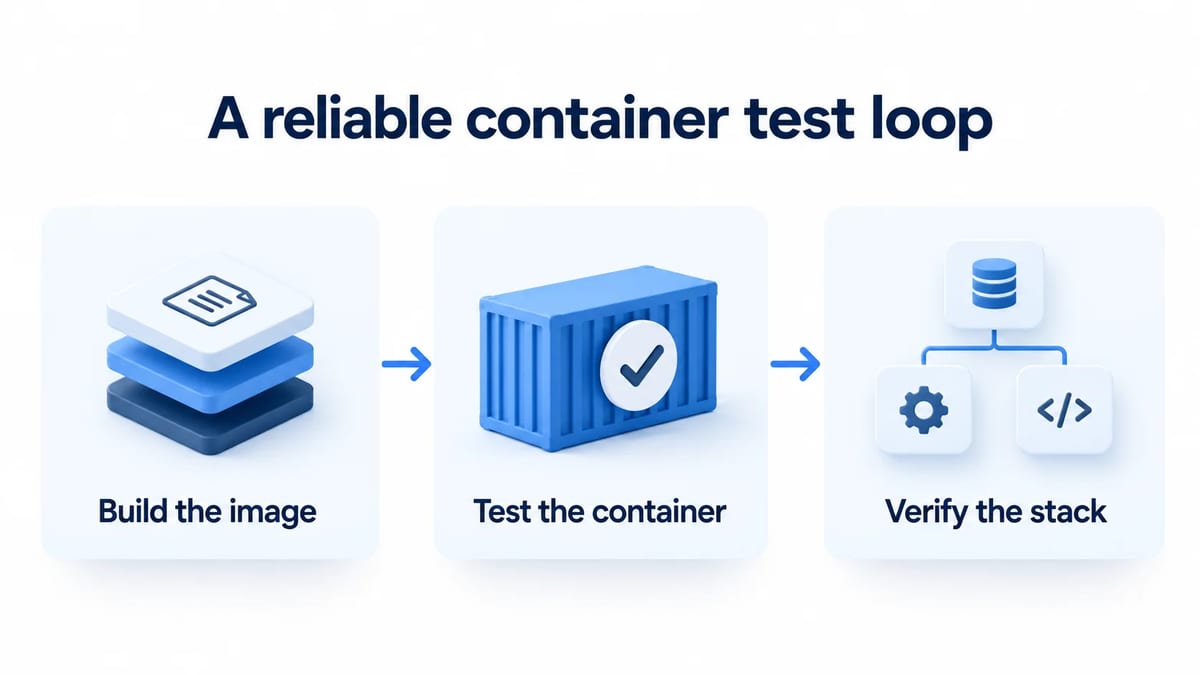
Build the image
Name the Dockerfile stages test and runtime, then invoke both deliberately. These commands assume those stages exist and that the test stage contains a failing RUN instruction when tests fail
- Run
docker build --target test --platform linux/amd64 -t orders-test .and require a successful exit. - Run
docker build --target runtime --platform linux/amd64 -t orders-candidate .to produce the separate runtime candidate.
Use locked application dependencies and approved base image digests. Inspect the runtime configuration and copied files. If the test stage merely installs a test runner, building it has executed no assertions; run its test command as a separate required job. A cached successful build instruction also does not rerun tests against a changing external service.
Test the container
Pull the registry reference supplied by the build job. Start the Docker container with the intended user, environment variables, and writable mounts. Leave the release entrypoint and CMD intact. Run an external smoke test that creates an order using synthetic data, reads it back, and checks the expected response. A static homepage alone provides weak evidence for a service whose main responsibility is writing orders.
For a standalone service listening on port 8080, a startup sketch is docker run --detach --name orders-ci-4821 --platform linux/amd64 --publish 127.0.0.1::8080 "$RELEASE_IMAGE". Set RELEASE_IMAGE to the complete repository@sha256 reference beforehand. Discover the temporary port with docker port orders-ci-4821 8080/tcp, wait for readiness, then run tests against that address. Capture evidence before removing this owned container. Services requiring a database belong in the isolated stack described below.
Set a startup deadline and request timeouts. On failure, capture sanitized container logs and inspection output before cleanup. Separate a startup failure from an assertion failure so an unavailable database does not get reported as an application response mismatch.
Verify the stack
Add real disposable dependencies for behavior that mocks cannot establish, such as database migrations or transaction constraints. Give each run its own Compose project, network, and data volumes. Configure the application service with the candidate image digest and no source mount or build override.
Run the stack under the deployment configuration you intend to support. Check the main write, read it through an independent connection where practical, and exercise recovery before destroying the fixtures. Keep the test environment isolated throughout its lifecycle. Keep a separate persistence case whose volume survives container replacement; deleting all state between every assertion would hide persistence defects.
Make readiness an application assertion
Check usable behavior before sending the mission
A running process may still be warming caches or waiting for migrations. Define a probe whose success means the application can accept the tested operation. Docker's HEALTHCHECK reference describes the separate starting, healthy, and unhealthy statuses. Ensure the probe executable exists in the runtime image; a minimal image may contain neither a shell nor curl. Keep probe output free of credentials.
Test a delayed dependency and a dependency that never becomes ready. Expect a bounded startup failure in the second case. Pick probe intervals and startup budgets from your application's requirements, and document what the probe covers. A database connection check may still pass before a required migration exists.
Use Compose conditions deliberately
Compose's startup order guide distinguishes service_started, service_healthy, and service_completed_successfully. Use service_healthy for a database with a meaningful healthcheck. A migration service can use successful completion as its prerequisite. These startup conditions do not establish recovery after a later outage.
The current compose up reference documents --wait as waiting for services to be running or healthy and implies detached mode. A service without a healthcheck can satisfy that command by running. Supply healthchecks for readiness sensitive services and still assert the business operation. In contrast, compose wait blocks until services stop. Substituting it for a readiness check can hang a job that starts long running servers.
Propagate failures and own cleanup in CI
Keep the test process authoritative
Assume compose.release-test.yml defines long running dependencies, meaningful healthchecks, and the candidate digest. Configure the job with a unique project name, such as orders-ci-4821, and use that name on every Compose command. Record Docker Engine, Buildx, Compose, and Testcontainers versions with the test results. Verify required options through the installed CLI's help before adopting these commands.
- Register a Bash EXIT cleanup handler before creating resources. At its start, save
status=$?and disable recursive trapping withtrap - EXIT. Handle interruption as a failed or cancelled job. - Start the isolated stack with
docker compose -p orders-ci-4821 -f compose.release-test.yml up --wait --wait-timeout 90 --no-build. The 90 second budget is an example policy. Abort the test phase if startup fails. - Execute your project's test driver, for example
./scripts/testCandidateImage, with bounded requests. Preserve its exit status. If piping output through tee, use Bash pipefail so logging cannot turn a failed test into success. - Collect sanitized logs, then run
docker compose -p orders-ci-4821 -f compose.release-test.yml down --volumesin cleanup. Exit with the saved failure status even when cleanup succeeds. If tests passed but cleanup failed, fail the job and report the leaked resources.
A killed runner cannot execute its trap, so label owned resources and arrange bounded cleanup for abandoned jobs. Make the test driver fail when it discovers zero tests, skips required assertions, or cannot establish fixtures. A successful orchestration command is insufficient evidence that the suite completed.
For a stack with a dedicated tests service, an alternative is attached compose up --abort-on-container-exit --exit-code-from tests. Those options stop the stack when a container exits and return the selected service's status. They cannot be combined with detached --wait. Also check infrastructure failures and whether the test suite completed; an interrupted run must not become a successful report.
Docker's compose down reference documents that --volumes removes declared named volumes and attached anonymous volumes, while external volumes are excluded. Use that flag only for disposable resources owned by this job. Never point this cleanup at a shared development project or customer data.
Exercise permissions and writable storage
Run with the release identity
Verify the image's configured nonroot identity and any deployment user override. Attempt the writes your app requires, including temporary files, uploaded content, and cache directories. Test a fresh volume and an existing volume with the ownership expected after upgrade. A writable image directory does not prove that a mounted directory has compatible permissions.
Use the intended read only root filesystem policy, explicit writable mounts, and capability restrictions. Docker's container run reference documents --user, --read-only, and mount options. Treat permission denied as a failure to investigate; adding privileged mode would change the security conditions being verified.
The volume documentation explains that volumes persist beyond a container's lifecycle and can obscure existing image content at the mount path. Verify the actual mounted data. For the orders example, save a record, replace the application container, and read the record again while retaining its disposable database volume. Keep backup restoration and destructive migration checks in separate isolated fixtures.
Keep secrets out of the build
Docker's build secrets guide advises secret mounts or SSH mounts instead of build arguments and environment variables for sensitive build inputs. Copying a credential and deleting it in a later layer does not make the earlier layer safe. Review the context exclusions and resulting artifact without printing secret values.
Use synthetic runtime credentials scoped to the disposable environment. Secret mounts cannot prevent a build command from printing or copying their contents. Check retained build logs and generated files, and make missing credentials fail with a useful sanitized error.
Test dependency failure and graceful recovery
Address the real network boundary
For tests using Testcontainers for Java, construct host connections from getHost() and getMappedPort() after startup. Its networking guide explains random host ports and why localhost is not universal in CI. Within the container network, use service names or network aliases. Each container's localhost points to itself.
Testcontainers' wait strategy guide offers HTTP and healthcheck waits when an open TCP port is insufficient. Configure a condition matching your application. Keep host ports temporary and avoid publishing dependency ports when only containers need them. For local host access, bind published ports to loopback explicitly.
Assert outage recovery and shutdown effects
Stop a disposable dependency during a request, then restore it. Assert the documented timeout response, bounded retries, and recovery without duplicate orders. Verify durable state before retrying a write whose outcome was uncertain. Also test an unavailable optional dependency so a secondary feature cannot silently block the primary operation.
During shutdown, submit a controlled write and request a normal stop. Check accepted work against durable records and confirm the process exits within the configured grace period. Docker's entrypoint reference explains how shell form can prevent signal forwarding; use exec form or a wrapper that forwards signals correctly. Repeat forced termination separately with disposable state, checking the application's recovery policy without promising that every in flight write survives.
Match architecture and resource constraints
Docker's multiplatform build guide covers explicit platform selection and emulation. Test each supported release variant, particularly native dependencies. Record whether execution used native hardware or emulation; emulated timing cannot establish production latency.
Apply realistic CPU and memory limits to the release image. Docker's resource constraints guide explains that containers have no resource constraints by default. Check behavior near your budget and collect termination details when memory pressure kills the process. Avoid treating one developer laptop's runtime as a capacity result.
Use the k6 load testing guide for workload design and latency assertions. Use the Playwright end to end testing guide for browser journeys through the resulting service. Container checks establish packaging and runtime behavior; those guides supply deeper workload and user flow coverage.
For human feedback, create a BetaRoast testing round with a safe hosted environment and a specific recovery mission. Ask whether error messages and retry actions make sense. BetaRoast collects human observations; it does not run Docker builds or certify container security.
Frequently asked questions
Does a successful Docker build mean tests passed?
Only if the build actually executed the required assertions. Explicitly target independent test stages, require their success in CI, and test the final runtime image separately.
What is the difference between running and ready?
Running describes process state. Ready means the application can perform its promised operation. Verify a meaningful healthcheck and an external business request within a deadline.
Should every integration test use Docker Compose?
No. Use Compose for a declared service stack or Testcontainers when the test process should own disposable dependencies. Choose the lifecycle that gives each test isolated resources and reliable failure reporting.
Which image should the release check execute?
Execute the pushed candidate by digest with the intended runtime configuration. Record its platform variant and promote the tested artifact. A test target or a later rebuild cannot establish the behavior of that exact release.
Test build targets explicitly, exercise the final release image by digest, and verify readiness, failure recovery, permissions, and shutdown with isolated state. Preserve CI exit codes and release evidence, then collect human feedback on the product experience.